
Tiendana Gastro · KDS

KDS: the kitchen display that organizes your tickets

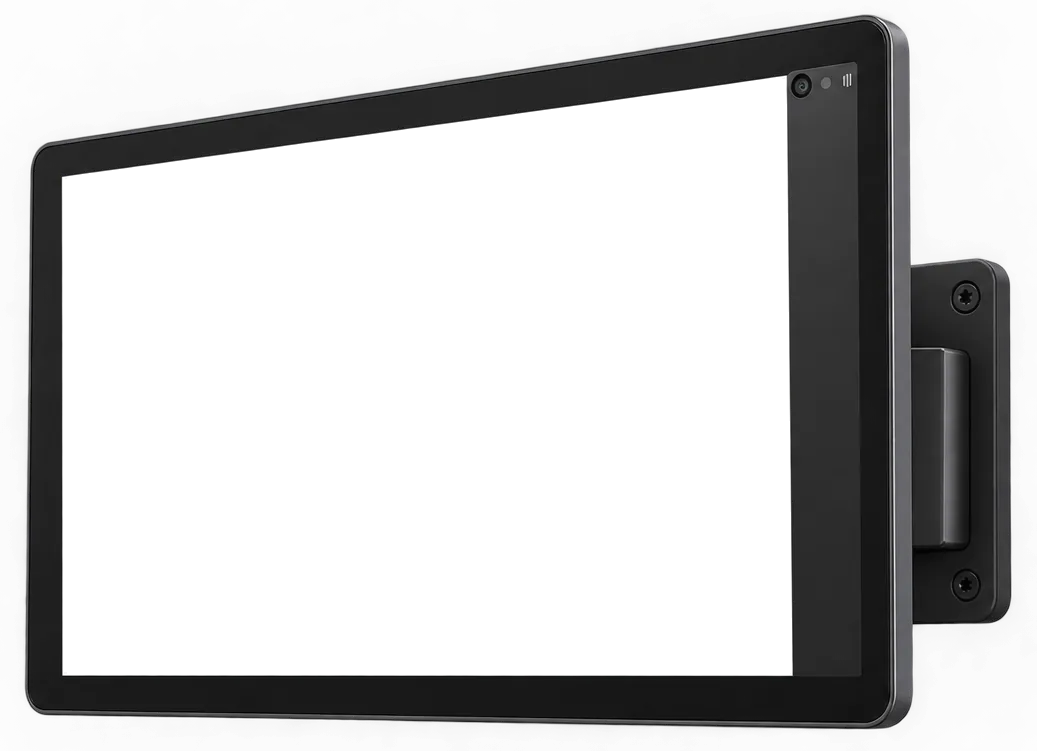
Orders from the register, the tables, the online menu, and the kiosk go to the right station, with their timer and alert.

Available on the Pro plan · Works on a tablet, Android TV, or computer

What makes it different

A screen that does much more than a paper ticket

Tiendana KDS · Hot kitchen

Features

Everything your kitchen display does

  • Tickets by station

    Hot kitchen, cold kitchen, bar, and desserts see only their own orders.

  • Delay alerts

    The ticket changes color when it goes past the time you set.

  • Order-ready notice

    One tap and the server or delivery driver knows.

  • One or more screens

    One per station or a single one for the whole kitchen.

  • Screens and printers combined

    A screen in the hot kitchen and a printer at the bar, for example.

  • Service reports

    Sales by shift, top-ordered dishes, and prep times.

Plans

A clear price, no surprises

Included in the Pro plan

Pro plan with KDS

The kitchen display comes included in the Pro plan: tickets on screen, no more paper slips.

$118.000US$39/ month

or $106.200US$35,17 a month billed annually · save 10%

I want it
  • Kitchen display included
  • 6 users and 6 devices
  • Unlimited sales
  • Sales, cash register, inventory, expenses and store credit
  • 400 DIAN electronic invoices per month
  • Online store, online menu and deliveries
  • Tables, kitchen tickets, tips and split bills
  • Employee permissions and integrations
  • Scales, price lists and advanced reports
  • Support by WhatsApp and phone

Compare

Screen vs. paper

Screen vs. paper
ComparisonTiendana KDSPaper ticketsPrinter only
Readable orders, with notes and add-onsYesNoYes
Each order's time in plain sightYesNoNo
Alerts when an order is running lateYesNoNo
The dining room knows when it's readyYesNoNo
Gets online menu and kiosk ordersYesNoYes
Service reportsYesNoNo
Paper and ink costsNoneEvery dayEvery day

Integrations and partners

Connects with what you already have

Everything connects right from the app. No plugins, no extra software and no installation fees.

We connect with

Online payments

Data analytics

  • Google Analytics
  • Google Tag Manager
  • Microsoft Clarity
  • Meta Pixel

Strategic partners

AlpinaCámara de Comercio de BogotáiMinSUNMISAT pcs · Sistemas de Alta TecnologíaAmazon Web ServicesMeta

We answer your questions

Frequently asked questions about the KDS

What is a KDS for restaurants?

A KDS (Kitchen Display System) is a kitchen screen that replaces paper tickets. It instantly receives orders from the point of sale, sorts them by arrival or by station, shows how long each one has been waiting, and lets you mark them ready so the dining room knows.

What equipment do I need to use the Tiendana KDS?

A tablet, an Android TV, or a computer in the kitchen. The Tiendana KDS app is on Google Play, the App Store, and the Microsoft Store, and it connects to the Tiendana point of sale.

Can I have one screen per station?

Yes. You can assign each menu category to a station (for example, hot kitchen, cold kitchen, or bar) so each team sees only what it needs to prepare.

Do delivery and online menu orders reach the KDS?

Yes. Orders from tables, the register, delivery, and Tiendana's online menu all reach the same kitchen queue, in the order they arrive.

Can I keep printing tickets?

Yes. You can use screens at some stations and ticket printers at others, or combine both while your team gets used to it.

Does my kitchen team need training?

Very little: the cook just sees the orders and taps to mark them ready. During setup, we help you configure your stations and times.

Which plan includes the KDS?

On-screen tickets are included in Tiendana's Pro plan. See plans and pricing.

Put your kitchen on screen this afternoon

Download the app on your kitchen tablet, assign your stations, and orders start coming in.