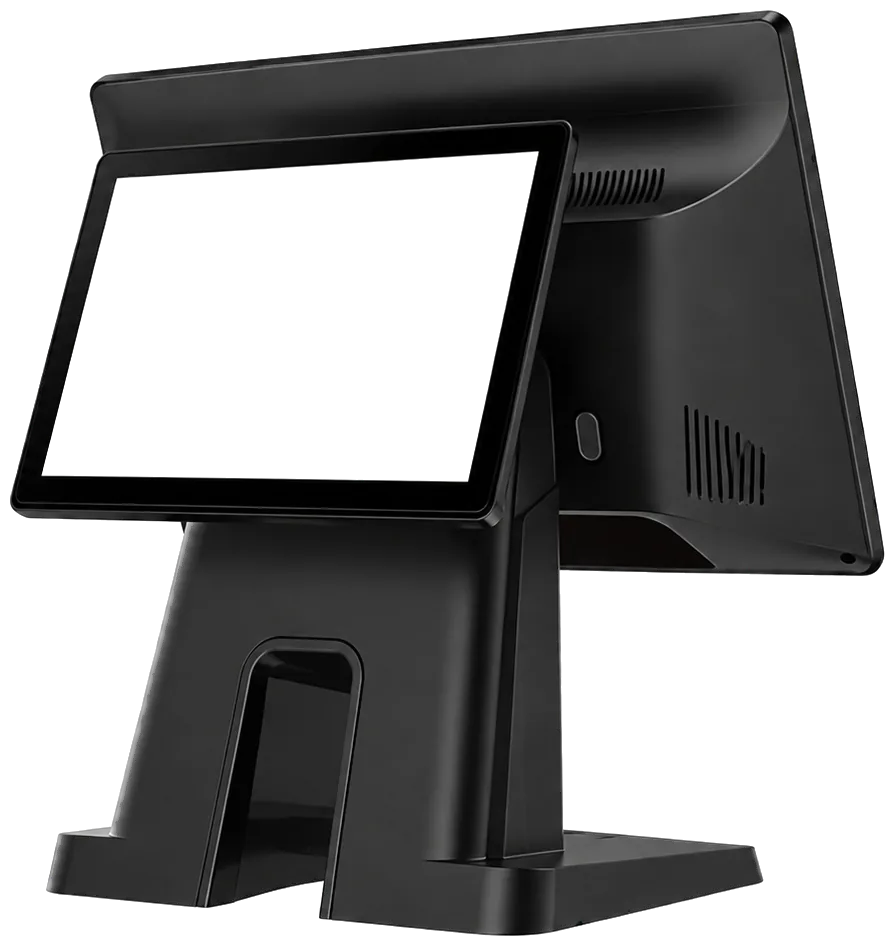
Tiendana · Second screen

Second screen: verified payments and advertising at your register

Your customer scans the QR, Tiendana confirms the money arrived, and your promotions play between sales.

Available on the Pyme and Pro plans · Windows and Android

What makes it different

A screen that does much more than show the total

Second screen · Register 1

Features

Everything your second screen does

  • Payment QR on the customer's screen

    They scan it from their bank app, without you reading out your key.

  • Scheduled campaigns

    Build your ads and decide what day and time they run.

  • Suggestions at checkout

    “Want to add some fries?” at just the right moment.

  • Spaces for partner brands

    Display your suppliers' brands and get paid for it.

  • Live bill with discounts and total

    Each product with its price as the cashier rings it up.

Plans

A clear price, no surprises

Save 10% with annual billing

Pyme

For the business that wants to sell on every channel and reach the next level.

$69.000US$24$62.100US$21,67/ month

$745.200US$260 a year · you save 10%Billed monthly

I want it
  • Dual screen with Tiendana shared advertising
  • 3 users and 3 devices
  • Unlimited sales
  • Sales, cash register, inventory, expenses and store credit
  • 100 DIAN electronic invoices per month
  • Online store, online menu and deliveries
  • Tables, kitchen tickets, tips and split bills
  • Employee permissions and integrations
  • Scales, price lists and advanced reports
  • Support by WhatsApp and phone

Most popular

Pro

For the business with a bigger team, a kitchen or high volume that needs full control.

$118.000US$39$106.200US$35,17/ month

$1.274.400US$422 a year · you save 10%Billed monthly

I want it
  • Dual screen with only your advertising
  • 6 users and 6 devices
  • Unlimited sales
  • Sales, cash register, inventory, expenses and store credit
  • 400 DIAN electronic invoices per month
  • Online store, online menu and deliveries
  • Tables, kitchen tickets, tips and split bills
  • Employee permissions and integrations
  • Scales, price lists and advanced reports
  • Support by WhatsApp and phone

Is your business outside Colombia? See prices in USDIs your business in Colombia? See prices in pesos

Compare

The screen vs. charging blind

The screen vs. charging blind
ComparisonTiendana screenNo screenTotal-only display
Confirms the transfer arrivedYesNoNo
Payment QR on the customer's screenYesNoNo
Customer sees each item rung upYesNoNo
Applied discounts visibleYesNoNo
Promotions while they payYesNoNo
Errors caught before payingYesAfterwards, with a complaintSometimes
Can earn you incomeYesNoNo

Integrations and partners

Connects with what you already have

Everything connects right from the app. No plugins, no extra software and no installation fees.

We connect with

Online payments

Data analytics

  • Google Analytics
  • Google Tag Manager
  • Microsoft Clarity
  • Meta Pixel

Strategic partners

AlpinaCámara de Comercio de BogotáiMinSUNMISAT pcs · Sistemas de Alta TecnologíaAmazon Web ServicesMeta

We answer your questions

Frequently asked questions about the customer-facing display

What is a customer-facing display on a POS?

The second screen, or customer-facing display, is a monitor or tablet placed in front of the shopper that shows in real time the products the cashier rings up, the discounts, the total due and the payment QR code. It adds transparency, reduces complaints about billing errors and speeds up payment.

What is a second screen at the register for?

So the customer sees what you're charging them as you ring it up. That way they catch a mistake before paying, not after, and the line keeps moving because no one has to ask how much it is.

Can the customer pay with Bre-B from the second screen?

Yes. The screen shows the payment QR code so the customer can pay with Bre-B from their bank or wallet app. With payment verification, Tiendana confirms the money reached your account before closing the sale.

What equipment do I need to show the customer their bill?

A dual-screen POS terminal or an extra screen placed in front of the customer. Ask an advisor which devices work with your register.

Can I show promotions on the customer's screen?

Yes. Besides the bill, the screen shows your promotions—for example, the week's 2×1—so the customer sees them while you ring them up.

Does the customer screen show the discounts I apply at the register?

Yes. When you apply a discount, the customer sees it on their bill and in the total right away, without the cashier having to explain it.

Is a customer-facing display worth it for a mini market?

Yes, especially when each purchase has many products: the customer sees each item go through the scanner, confirms the prices and pays without holding up the line.

Which plan includes the customer-facing second screen?

The second screen is available on Tiendana's Pyme and Pro plans; the equipment is sold separately and an advisor helps you choose it. See plans and pricing.

Charge with confidence and sell while you charge

We help you choose between a dual-screen terminal or a monitor for the device you already have.